Cisco Packet Tracer Alternatives: Which One is Right for You?
Explore Cisco Packet Tracer alternatives & compare EVE-NG, GNS3, Boson NetSim, and NetField for labs, simulation, configuration, validation, and network

Packet Tracer remains useful for learning networking fundamentals, especially for students working through Cisco Networking Academy. However, users looking for more realistic device emulation, multivendor environments, guided certification labs, or an easier way to manage complete network projects may need a different tool.
Cisco Packet Tracer has been one of the most accessible ways to start learning networking without physical hardware.
Packet Tracer is designed to teach networking concepts rather than reproduce every behaviour of physical network hardware. It simulates Cisco devices and only implements the commands and capabilities supported by the simulator. GNS3's own documentation notes that Packet Tracer does not run real Cisco operating-system images, does not provide multivendor support, and cannot connect directly to physical network equipment.
As engineers progress beyond introductory labs, those limitations can become more noticeable.
Someone studying for the CCNA may want a straightforward simulator. Someone preparing a multivendor environment may need real virtual network operating systems. An engineer working on a production network may not need another lab simulator at all; they may need better tools for planning, configuration, validation, and documentation.
That is where the alternatives below become relevant.
Key takeaways
- Packet Tracer is particularly useful for learning networking fundamentals in a visual, low-barrier environment.
- EVE-NG is designed for larger, multivendor network emulation and more advanced virtual labs.
- GNS3 is a free, open-source platform that supports many network appliances and real virtual network images, but setup and image management require more work.
- Boson NetSim focuses on guided Cisco certification training with built-in labs, explanations, grading, and included IOS images.
- NetField is not a direct replacement for network emulation. Instead, it targets the workflow around real network projects: planning, addressing, configuration generation, validation, and documentation.
- There is no single tool that is best for every use case. The right choice depends on whether the priority is learning, emulation, certification training, or engineering project management.
Cisco Packet Tracer at a glance
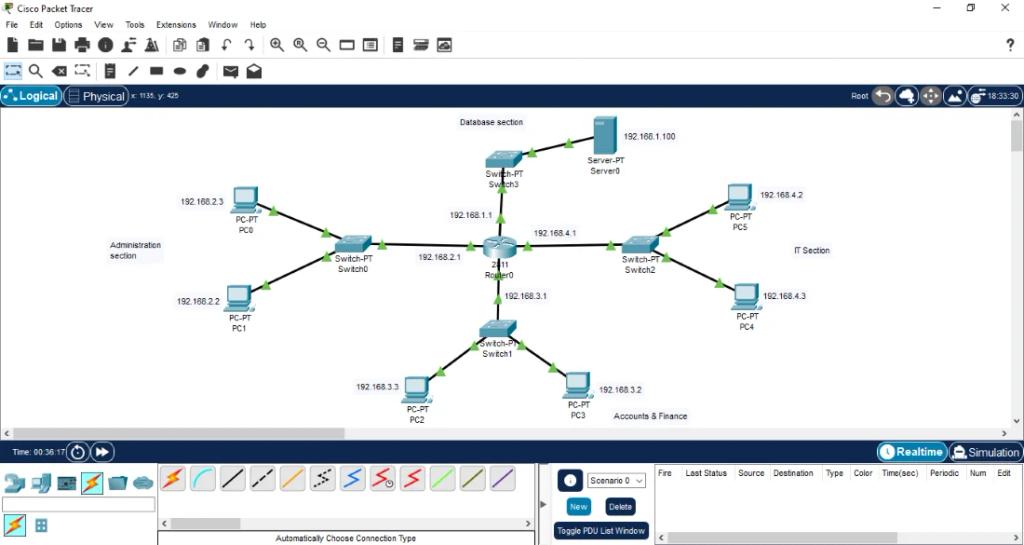
Before comparing alternatives, it helps to understand what Packet Tracer actually does well.
Packet Tracer provides a graphical environment for building logical and physical network topologies and includes both real-time and simulation modes. Its simulation mode lets users observe packet behaviour and explore processes that are normally hidden when working with physical equipment.
It is particularly well suited to beginners because there is no need to source hardware or install real network operating-system images. Cisco Networking Academy currently describes it as a virtual lab that requires no hardware, and its introductory course is marked as free and beginner-level.
The trade-off is realism and flexibility.
Packet Tracer simulates Cisco networking environments rather than emulating actual Cisco operating systems. It also does not provide the same multivendor and real-device connectivity options offered by platforms such as EVE-NG and GNS3.
That makes Packet Tracer a strong starting point, but it is not necessarily the tool an engineer wants for every stage of their networking career.
Cisco Packet Tracer alternatives comparison
| Tool | Best for | Multivendor | Real virtual images | Guided labs | Configuration generation | Validation | Documentation | Setup |
|---|---|---|---|---|---|---|---|---|
| Cisco Packet Tracer | Networking fundamentals and Cisco learning | No | No | Yes | Limited | Simulation-based | Basic | Easy |
| EVE-NG | Advanced labs and network emulation | Yes | Yes | Lab-focused | Import/export configs | Lab/testing | Lab annotations | More involved |
| GNS3 | Open-source network emulation | Yes | Yes | Community labs/resources | Configuration files | Lab/testing | Topology annotations | More involved |
| Boson NetSim | Cisco certification training | Primarily Cisco | Simulated Cisco environment | Yes | Custom lab configuration | Grading/expected-state comparison | Lab documentation | Easy |
| NetField | Network engineering projects | Yes | Not an emulator | AI Copilot | Yes | Yes | Yes | Easy |
The distinction in the table is important. EVE-NG and GNS3 are primarily emulation/simulation environments, Boson NetSim is primarily a training platform, while NetField is a network-engineering project workspace. NetField is therefore an alternative for a different problem: managing the work that happens around the network rather than reproducing the network operating system itself.
1. EVE-NG
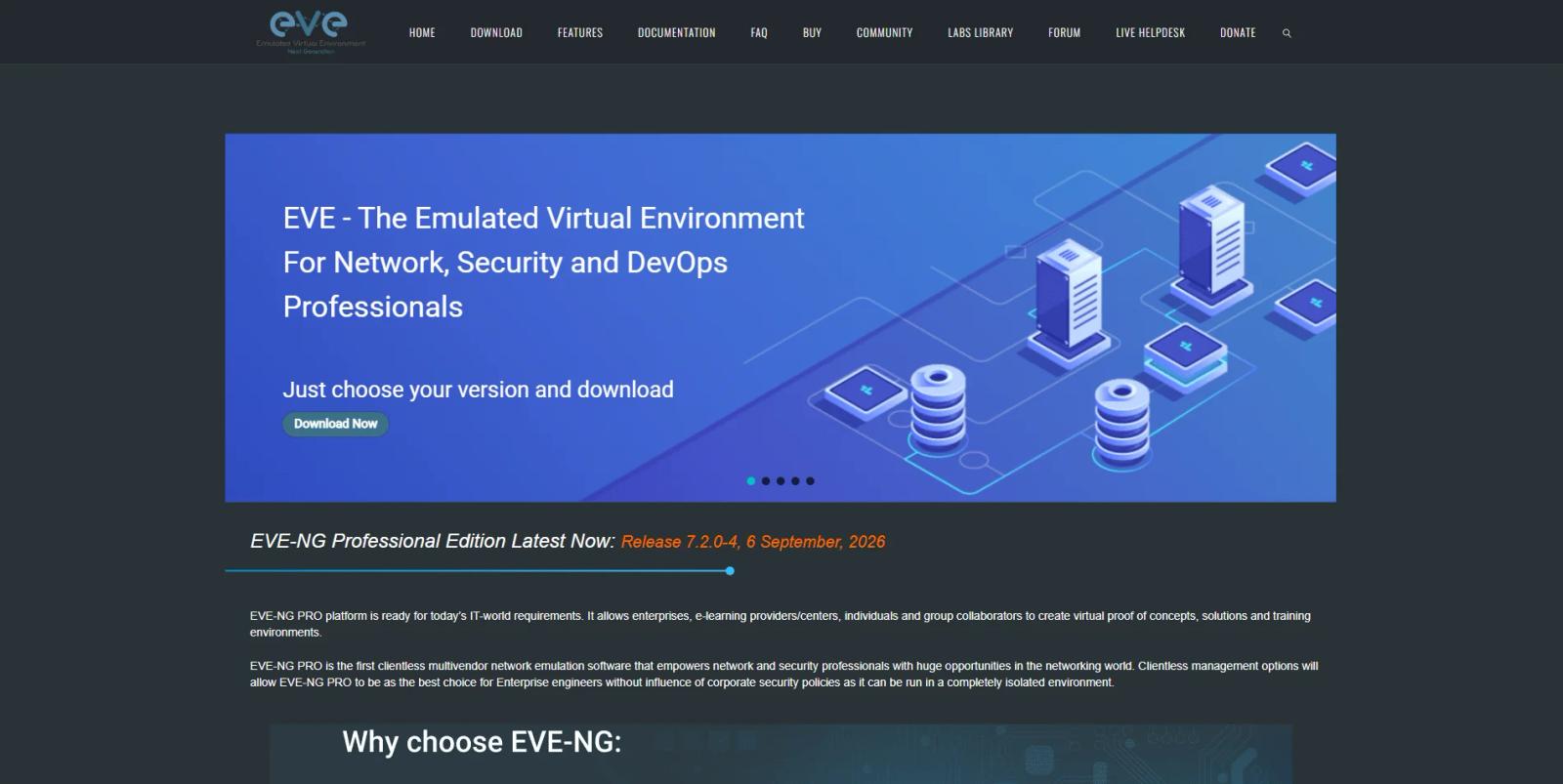
EVE-NG is a multivendor network emulation platform designed for networking, security, and DevOps professionals. It allows users to create virtual network environments using different vendor appliances and connect those environments into larger topologies.
EVE-NG's current platform supports topology design, configuration import and export, multiple lab instances, real-network interaction, HTML5 management, Wireshark integration, Docker containers, and large topologies. Its Professional Edition supports up to 1,024 nodes per lab according to its current feature comparison.
That makes EVE-NG much closer to a virtual lab environment for advanced networking than Packet Tracer.
Why choose EVE-NG?
EVE-NG is particularly useful when you want to work with a more realistic mixture of platforms.
Instead of staying inside a simplified Cisco-only environment, engineers can build labs around different operating systems and vendor appliances. This makes it useful for studying advanced routing and switching, security, multivendor interoperability, and network architecture.
It is also useful when the lab itself needs to resemble a real environment rather than a classroom exercise.
What are the drawbacks?
The additional flexibility comes with additional complexity.
EVE-NG requires a server or virtualised environment and the appropriate network appliance images. Its documentation and current download pages also distinguish between free/freemium and paid editions with different capabilities and limits.
For someone who simply wants to practise basic VLANs, routing, and subnetting, that can be unnecessary overhead.
EVE-NG is powerful, but it is primarily a lab and emulation platform, not a complete environment for planning and documenting a real network project.
EVE-NG is best for
Engineers, students, and network professionals who want advanced, multivendor virtual labs and realistic network emulation.
2. GNS3
GNS3 is a free, open-source network simulation and emulation platform that has evolved from a Cisco-focused project into a multivendor environment.
The GNS3 documentation says the platform is used by hundreds of thousands of network engineers and has been downloaded more than 10 million times. It supports a wide range of network vendors, Linux appliances, Docker instances, and virtual network operating systems.
One of GNS3's main strengths is flexibility. It can run relatively small topologies on a local computer or distribute larger environments across servers or cloud infrastructure.
Why choose GNS3?
GNS3 is particularly attractive if you want an open-source platform and the freedom to build your own network labs.
It supports many different appliances and can run real virtual network images where licensing allows. The platform also supports advanced switching technologies when the appropriate image is used, including EtherChannel, PVST+, RPVST+, MST, and port security.
Another advantage is the size of its ecosystem. The platform has a large community and an extensive appliance marketplace, making it possible to create much more complex environments than the typical Packet Tracer lab.
What are the drawbacks?
GNS3 requires more technical setup than Packet Tracer.
When using QEMU-based devices on Windows or macOS, GNS3 recommends the GNS3 VM, and users often need to obtain and install the appropriate device images themselves. Cisco IOS images, for example, cannot legally be distributed by GNS3 and must be obtained by the user through authorised channels.
That flexibility is valuable for experienced users, but it can make the first setup considerably more involved than opening Packet Tracer and dragging a router onto a canvas.
GNS3 also remains primarily focused on building and running network topologies. It is not designed as a unified project workspace for managing addressing plans, generating multi-vendor configurations, validating configuration issues, and producing project documentation.
GNS3 is best for
Users looking for a free, open-source, highly flexible platform for network emulation and advanced labs.
3. Boson NetSim
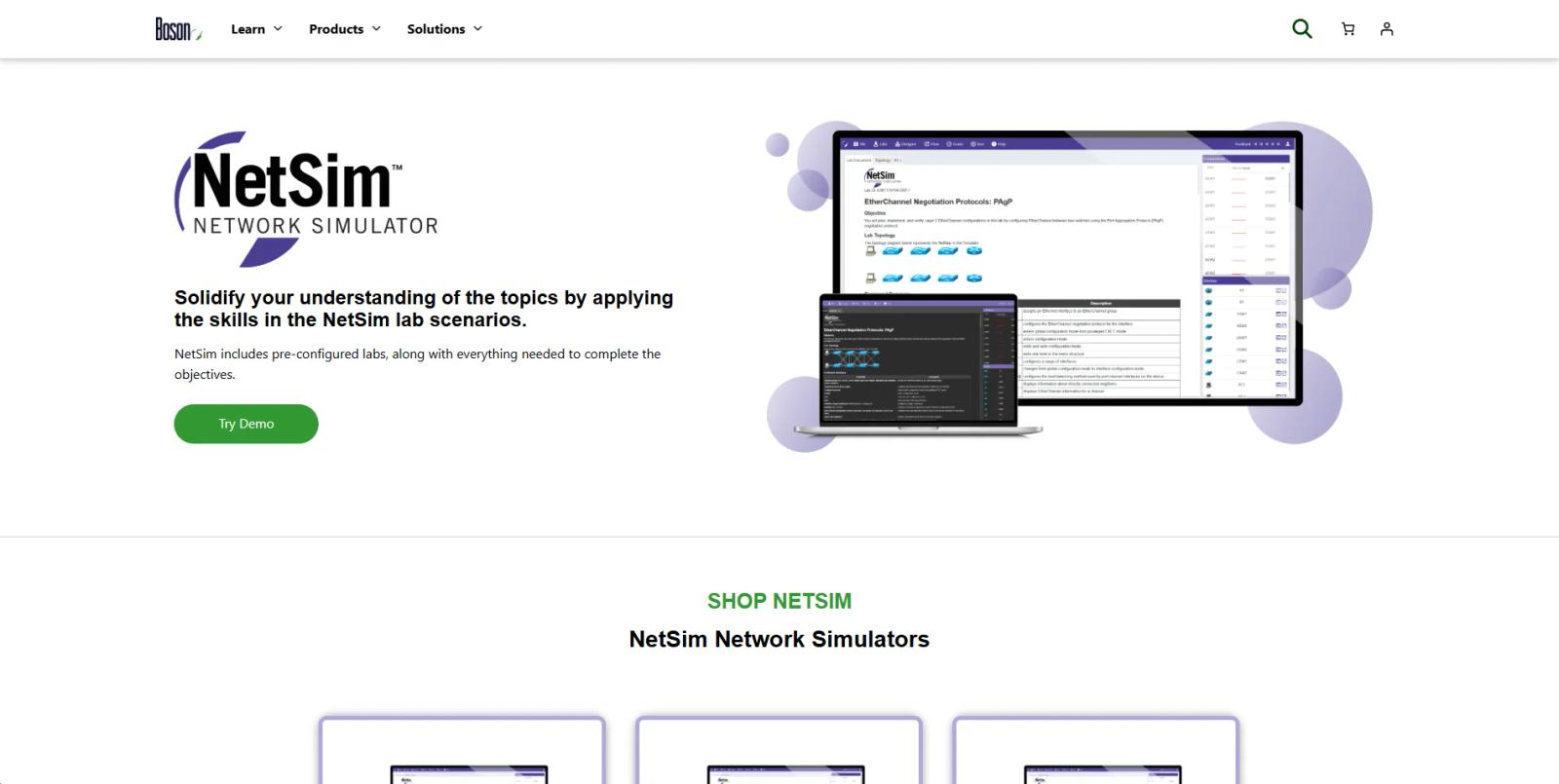
Boson NetSim takes a different approach from EVE-NG and GNS3.
Rather than providing a general-purpose network emulation environment first, NetSim is built primarily around hands-on Cisco certification training.
Boson currently offers NetSim products for certifications including CCNA, CCNP Enterprise ENCOR, and ENARSI. Its CCNA NetSim currently lists 101 guided labs, while its ENCOR and ENARSI versions list 77 and 70 guided labs respectively. The current listed price for the full NetSim products is $179 per year.
Why choose Boson NetSim?
Its main advantage is structure.
Instead of starting with an empty topology and figuring out what to practise, users get guided labs designed around specific networking concepts and certification objectives.
NetSim also provides explanations, synchronised lab progress, browser access, and grading that compares the learner's configuration against the expected result. Boson says its online NetSim requires no additional Cisco IOS licensing or external equipment for the included labs.
This makes it particularly attractive to someone who wants a structured path through Cisco networking topics rather than an open-ended lab platform.
What are the drawbacks?
The focus on certification training is also its main limitation for network engineers who want a broader workflow.
NetSim is designed around learning and practising Cisco technologies. It is not intended to be a general network project-management workspace where engineers maintain an addressing plan, generate configurations for several vendors, validate existing configuration, and produce final project documentation.
There is also a subscription cost. Individual NetSim products currently list at $179 annually, while smaller topic-specific lab packs such as IPv4 subnetting and VLSM are listed separately.
Boson NetSim is best for
Network learners who want guided hands-on Cisco certification preparation with built-in labs and grading.
4. NetField
NetField takes a different approach to the Packet Tracer alternatives category.
It is not another network simulator designed to reproduce a virtual Cisco router. Instead, NetField is a network-engineering project workspace built around the work engineers perform before, during, and after network changes.
The platform combines network planning, addressing, devices, configuration generation, validation, and documentation within the same project.
That makes it particularly relevant to engineers who have moved beyond lab practice and are working with actual network projects.
Why NetField is different from traditional Packet Tracer alternatives
EVE-NG and GNS3 answer a very specific question:
"How can I emulate a network so I can test and practise on it?"
Boson NetSim asks another:
"How can I practise the skills required for a networking certification?"
NetField addresses a different problem:
"How can I manage the engineering work required to design, build, validate, and document a network?"
That distinction is the foundation of its positioning.
A network engineer working on a real project may not need another simulated router. They may need to figure out the addressing plan, organise the devices and VLANs, generate the correct configuration for the chosen platform, catch an overlapping subnet or duplicate IP, and produce documentation that another engineer can actually understand.
NetField is designed around those tasks.
What does NetField offer that these tools do not?
The main gap is that traditional lab environments tend to focus on the network itself, while NetField focuses on the engineering project around the network.
Project-based network planning
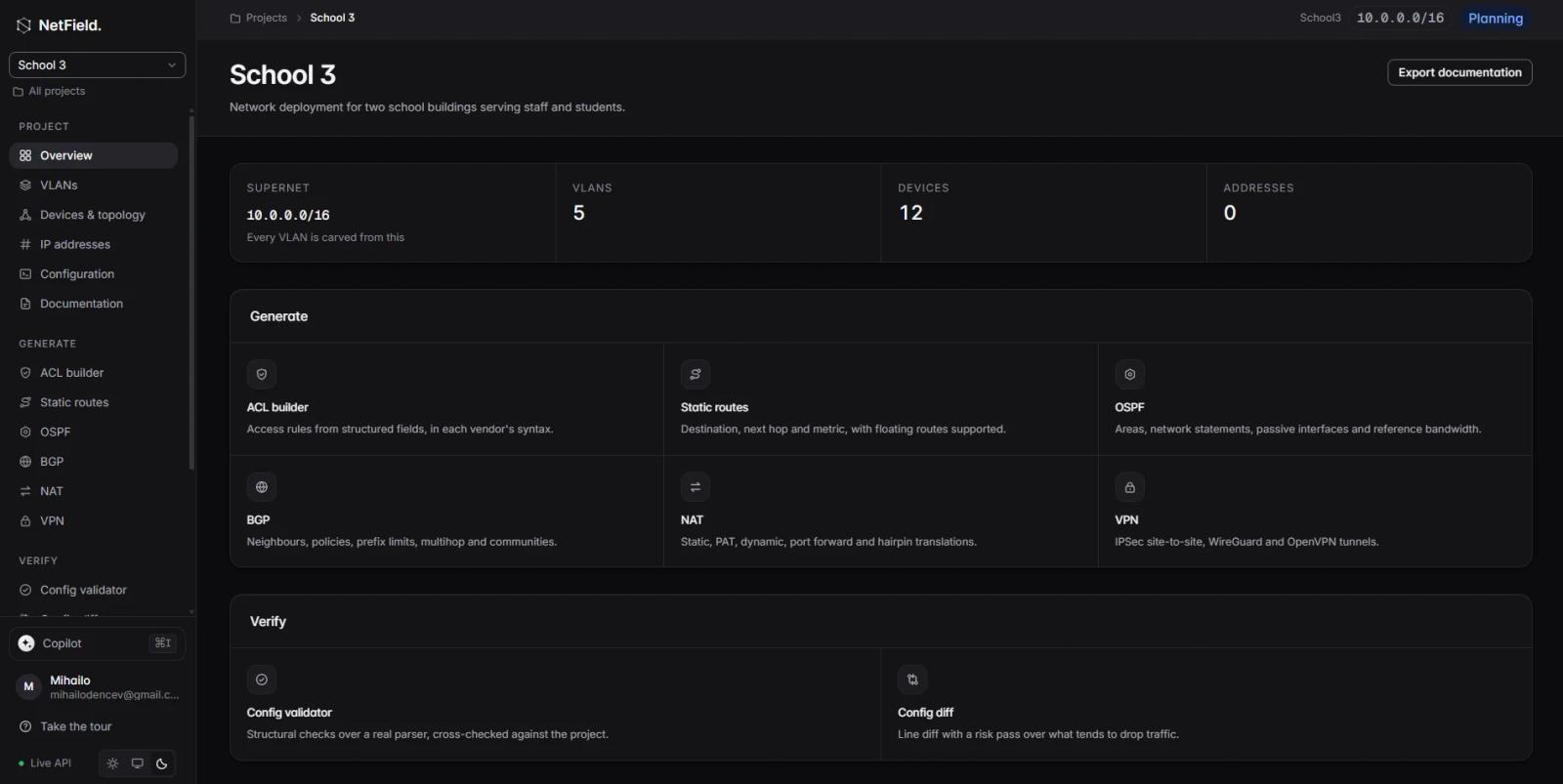
NetField keeps network basics, devices, addressing, and outputs connected inside one project rather than forcing engineers to reconstruct the same information across separate tools.
That can be useful when a project begins with requirements rather than an already-built topology.
Multi-vendor configuration generation
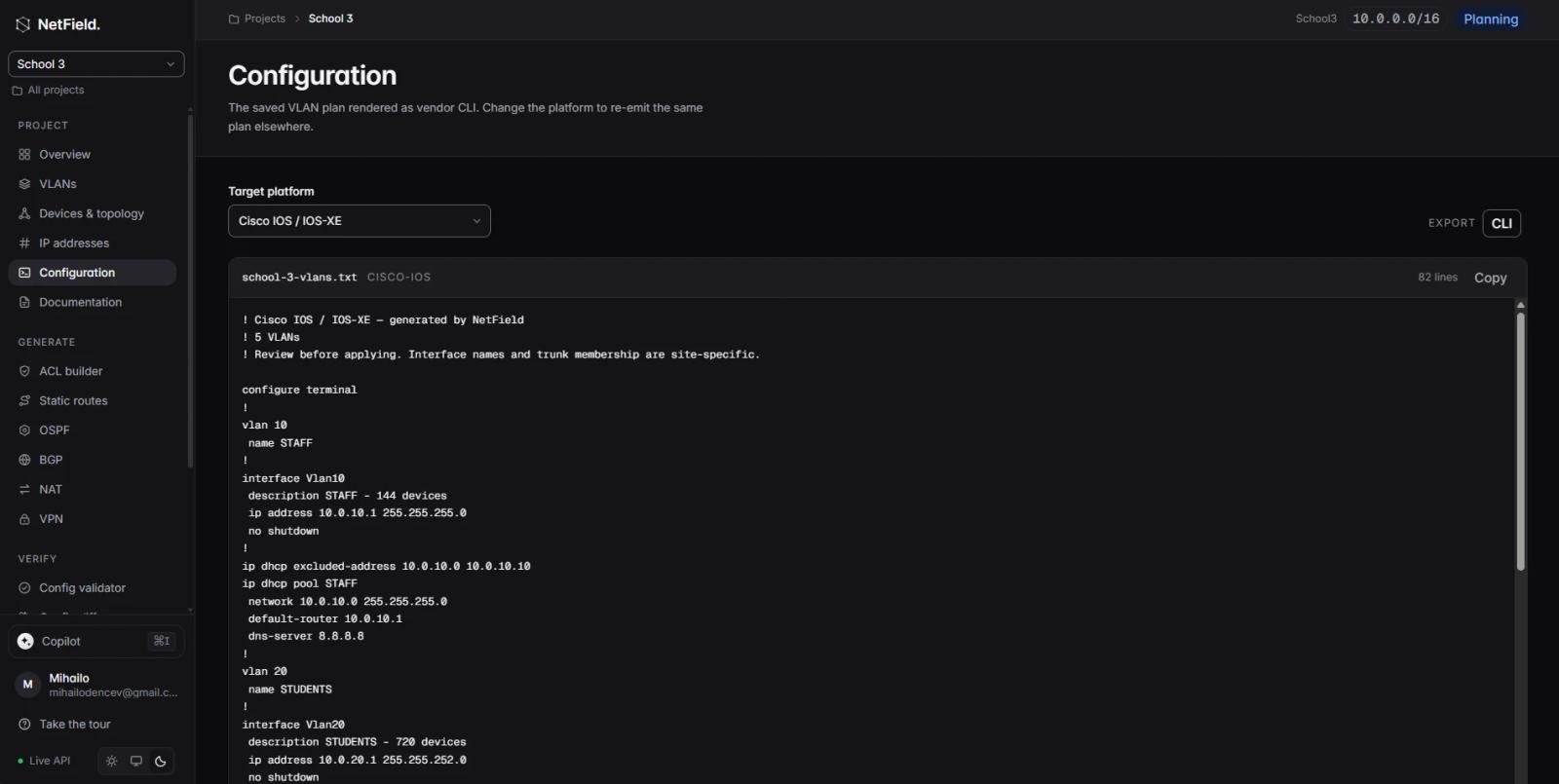
NetField currently supports configuration output for seven vendor platforms, including Cisco IOS/IOS-XE, Cisco NX-OS, Juniper, MikroTik, Aruba, Fortinet, and Ubiquiti. The platform's own description emphasises that it translates the same network intent into each platform's syntax rather than simply using one generic template.
This is a different workflow from loading a vendor image into an emulator and manually typing the commands.
The engineer starts with the network design and addressing, then generates the platform-specific configuration from that project context.
Network topology without the complexity of network emulation
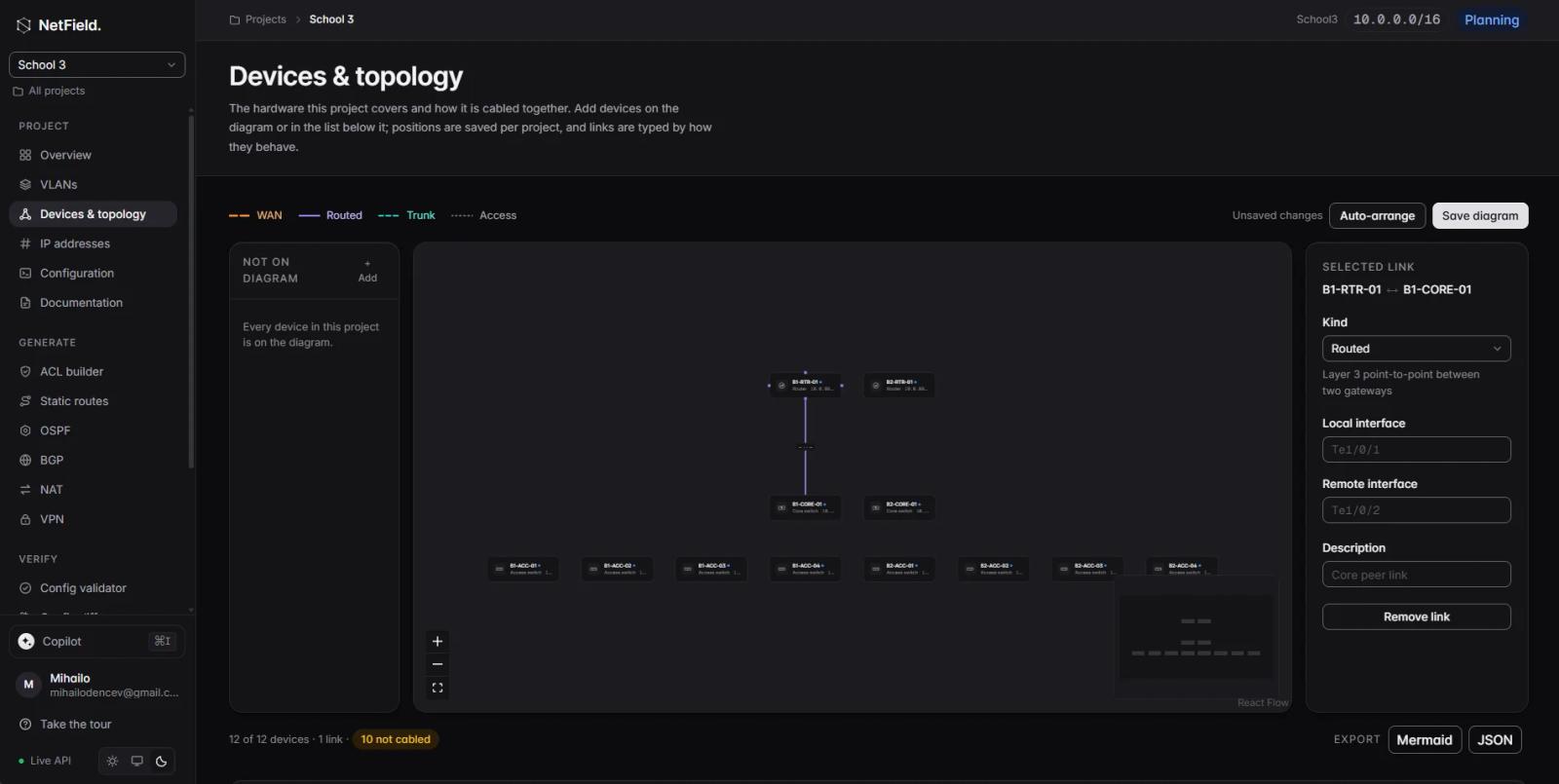
NetField's Devices & Topology workspace is designed for building and managing a network project rather than emulating the devices themselves.
Engineers can add devices, define how they are connected, assign link types such as WAN, routed, trunk, and access, and organise the topology visually. The project also keeps the device inventory and network relationships connected to the rest of the engineering workflow.
That means the topology isn't just a picture. It forms part of the project data that can be used alongside addressing, configuration, validation, and documentation.
This is where NetField differs from tools such as EVE-NG and GNS3. Those platforms are primarily concerned with running virtual network environments. NetField is concerned with designing and managing the network project itself.
Built-in configuration validation
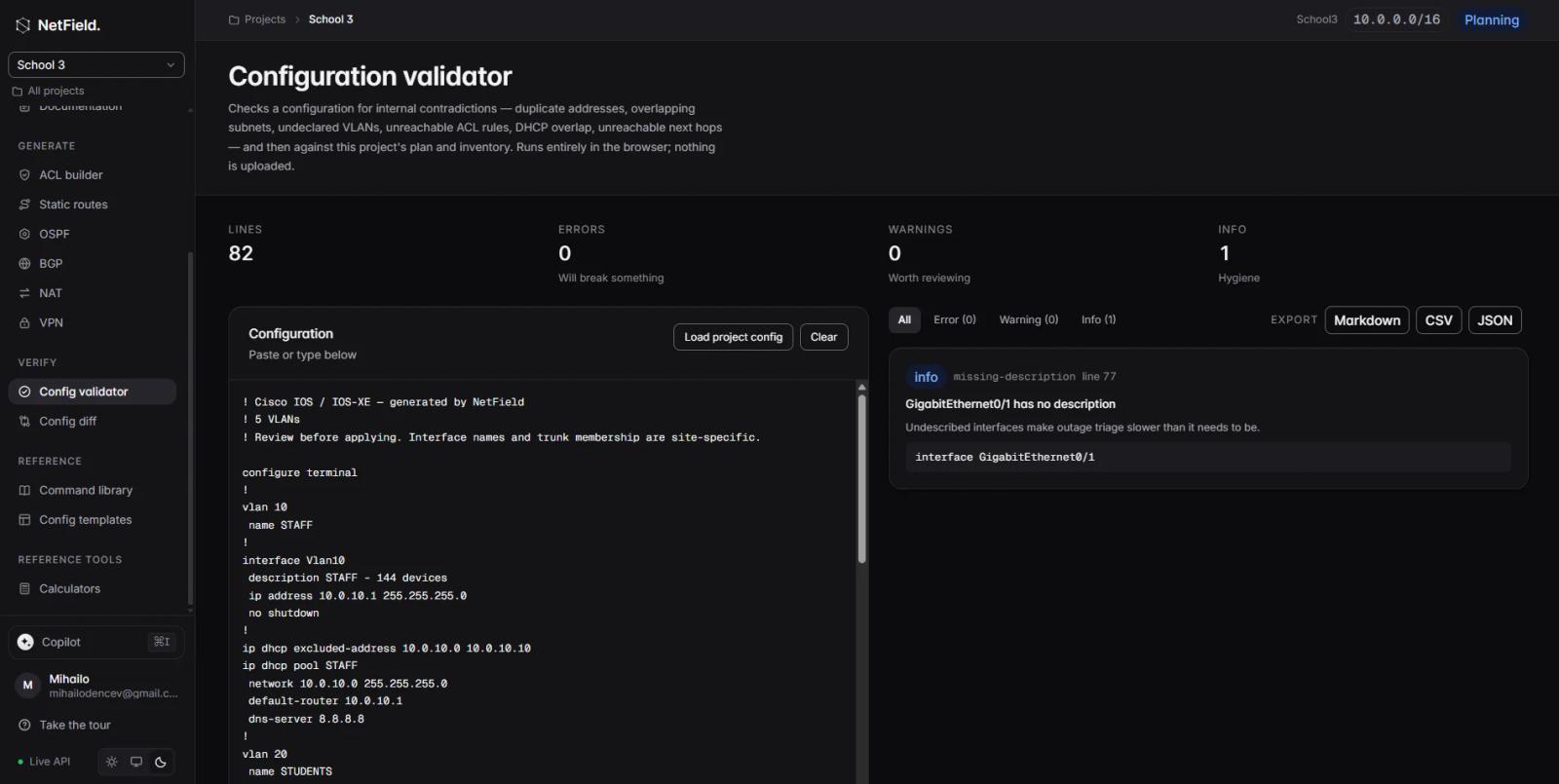
NetField includes a validator designed to catch configuration issues before deployment.
Its current examples include missing VLAN declarations, duplicate IP addresses, and overlapping subnets.
That is especially relevant because one of the biggest problems with configuration generation is not producing syntax. It is producing configuration that is internally consistent and aligned with the intended network.
Documentation built into the project
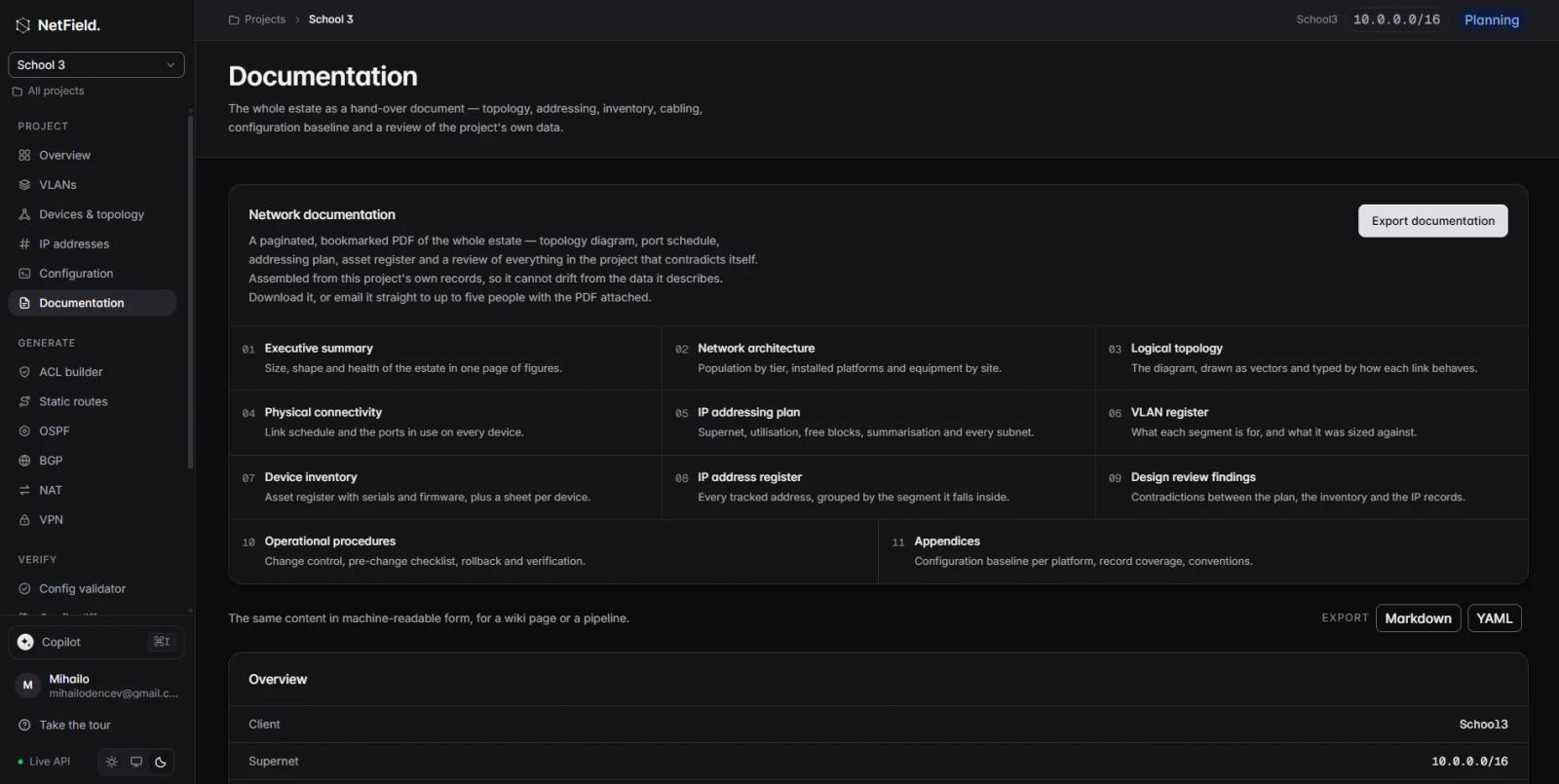
NetField also treats documentation as part of the same workflow.
Rather than designing a network in one tool, generating configuration somewhere else, and then manually recreating the result in a document, its documentation workflow can generate project documentation from the information already contained in the network project.
This is one of the clearest differences between NetField and simulation-focused alternatives.
A simpler starting point

There is also a usability difference.
EVE-NG and GNS3 are powerful precisely because they let users build virtual environments around network operating systems and appliances. That flexibility naturally introduces additional setup, image management, virtualisation, and resource considerations.
NetField avoids that complexity because it is solving a different problem.
There is no requirement to build a virtualised Cisco lab before you can start designing a network project. You can begin with the network itself: requirements, segments, addresses, devices, and intended configuration.
For engineers who want to get from idea → network plan → configuration → validation → documentation without building an emulation environment first, that can be a much simpler workflow.
The best of it all - you can generate it with the help of AI or use AI to help you create.
NetField vs Packet Tracer: a different kind of alternative
It is worth being precise here.
NetField does not replace Packet Tracer's ability to simulate network behaviour and let students observe packets moving through a virtual topology. Packet Tracer remains valuable for that use case. Cisco specifically positions it as a simulation and visualisation environment for learning networking concepts without hardware.
The difference appears when the work becomes an actual network-engineering project.
| If you need to.... | Better fit |
|---|---|
| Learn basic Cisco networking | Packet Tracer |
| See how simulated packets move | Packet Tracer |
| Build advanced multivendor virtual labs | EVE-NG |
| Use real virtual network images | EVE-NG / GNS3 |
| Build open-source network emulation labs | GNS3 |
| Follow structured Cisco certification labs | Boson NetSim |
| Plan/maintain a network project | NetField |
| Generate multi-vendor configuration | NetField |
| Validate addressing/configuration | NetField |
| Keep network project documentation connected | NetField |
For that reason, NetField's strongest positioning is not "Packet Tracer, but better simulation."
It is:
"A simpler, more modern workspace for the network engineering work that simulation tools don't try to solve."
Which Cisco Packet Tracer alternative should you choose?
The choice comes down to what you are actually trying to accomplish.
If you're new to networking and want a simple visual environment for learning Cisco fundamentals, Packet Tracer remains a logical starting point. It is free through Cisco Networking Academy and does not require physical hardware.
If you're an experienced learner who wants to build complex multivendor environments and work with virtual network operating systems, EVE-NG or GNS3 are much closer to what you need. EVE-NG is particularly focused on large virtual labs, while GNS3 provides an open-source alternative with a broad appliance ecosystem.
If your primary objective is certification preparation, Boson NetSim provides a more structured experience with guided labs, explanations, and grading.
If you're working on real network projects and need a simpler way to organise the engineering work around them, NetField addresses a different and increasingly important part of the workflow.
From network simulation to network engineering
There is a natural progression in how many people work with networking tools.
A beginner may start by learning what a switch does and how VLANs work. A simulator is ideal for that.
The next stage might involve building larger topologies, testing routing protocols, experimenting with firewalls, or studying multivendor interoperability. This is where emulation platforms such as EVE-NG and GNS3 become more useful.
Eventually, however, the work may stop being about building a lab and start being about building the network itself.
At that point, the questions change.
Instead of asking how to connect two virtual routers, an engineer may need to determine which subnets should exist, which devices belong to each segment, what configuration needs to be generated, whether the addressing plan contains conflicts, and how the finished environment should be documented.
This is the space NetField is designed for.
The platform's workflow connects addressing, devices, configuration generation, validation, and documentation instead of treating each task as an isolated activity.
The future of network engineering tools
The networking toolchain is becoming increasingly fragmented in some areas and increasingly integrated in others.
Engineers now work with cloud infrastructure, automation frameworks, APIs, infrastructure as code, monitoring systems, configuration tools, IPAM platforms, and documentation systems alongside traditional networking equipment.
That creates an interesting gap.
The more network infrastructure becomes programmable, the more important the information before the configuration is executed becomes. Automation can apply a configuration quickly, but it still depends on correct addresses, devices, interfaces, intent, and validation.
This is one reason newer network-engineering platforms are moving closer to a project-based model rather than treating configuration as the entire workflow.
NetField's product direction reflects this model: its workspace combines network planning, addressing, devices, generated configuration, validation, and documentation, while an AI layer is being developed to work from the same project context.
The idea is not to replace network engineers. It is to remove more of the disconnected, repetitive work around engineering decisions.
Conclusion
Cisco Packet Tracer is still a useful tool for learning networking fundamentals, particularly for students and beginners who want a simple way to build and simulate Cisco networks without physical hardware.
But it is not designed to solve every networking problem.
EVE-NG provides a powerful environment for advanced multivendor network emulation. GNS3 offers a flexible, open-source alternative for building virtual networking labs. Boson NetSim focuses on structured Cisco certification training with guided labs and grading.
NetField approaches the problem from a different direction.
Rather than emulating a router or providing another certification lab, it focuses on the work network engineers need to do around an actual project: planning the network, managing addressing and devices, generating configurations, validating the result, and keeping documentation connected.
That makes NetField less of a traditional simulator replacement and more of a modern alternative for the network-engineering workflow itself.
For engineers who have moved beyond simply practising configurations and need a simpler way to take a network from design to validated, documented project, that distinction matters.
FAQ
Is there a better alternative to Cisco Packet Tracer?
There is no single replacement for every Packet Tracer use case. EVE-NG and GNS3 are better suited to advanced network emulation, while Boson NetSim focuses on guided certification training. NetField targets network planning, configuration, validation, and documentation rather than network simulation.
Is EVE-NG better than Packet Tracer?
EVE-NG and Packet Tracer are built for different levels and use cases. EVE-NG supports multivendor environments and real virtual network appliances, while Packet Tracer is designed as an accessible simulation environment for learning networking concepts.
Is GNS3 free?
Yes. GNS3 is free and open-source software. However, some network operating-system images, particularly Cisco images, need to be obtained separately by the user through authorised sources.
Is GNS3 better than Packet Tracer for CCNA?
Both can be useful for CCNA preparation. Packet Tracer is simpler to set up and is directly integrated into Cisco Networking Academy learning, while GNS3 provides a more flexible environment and can work with real virtual network operating-system images.
What is the best Packet Tracer alternative for certification training?
Boson NetSim is specifically designed around certification training and provides guided labs, explanations, progress tracking, and configuration grading. Its current product range includes Cisco CCNA, ENCOR, and ENARSI training environments.
Can EVE-NG replace Packet Tracer?
For advanced labs, EVE-NG can cover many use cases that Packet Tracer cannot, especially multivendor emulation and the use of virtual network appliances. However, Packet Tracer remains simpler for introductory Cisco learning and visual simulation.
Can NetField replace Packet Tracer?
Not as a network simulator. NetField is designed for network-engineering projects rather than reproducing the behaviour of virtual routers and switches. It focuses on planning, addressing, configuration generation, validation, and documentation. But it can be used for learning.
What makes NetField different from EVE-NG and GNS3?
EVE-NG and GNS3 primarily provide environments for running and connecting virtual network devices. NetField focuses on the engineering workflow around a network project, including network planning, addressing, multi-vendor configuration generation, validation, and documentation.
Is NetField free?
NetField is currently available to use for free. Pricing plans will be announced later.